


Write and format your screenplay.
Keep your pages in screenplay format, with story development and production tools connected to your script.
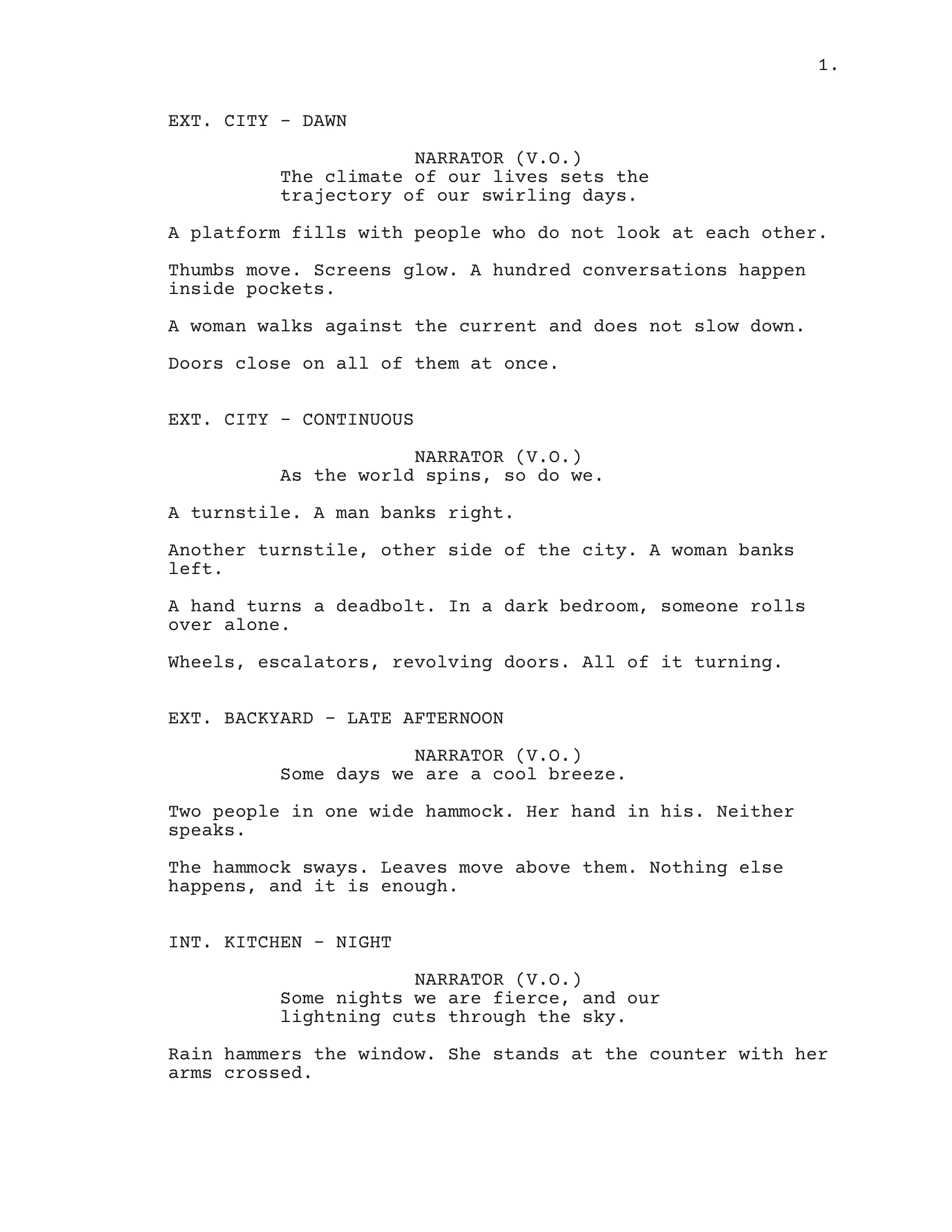
Highlighted: action the assistant can help develop.
Read the screenplay page
EXT. CITY - DAWN
NARRATOR (V.O.)The climate of our lives sets the trajectory of our swirling days.
A platform fills with people who do not look at each other.
Thumbs move. Screens glow. A hundred conversations happen inside pockets.
A woman walks against the current and does not slow down.
Doors close on all of them at once.
EXT. CITY - CONTINUOUS
NARRATOR (V.O.)As the world spins, so do we.
A turnstile. A man banks right.
Another turnstile, other side of the city. A woman banks left.
A hand turns a deadbolt. In a dark bedroom, someone rolls over alone.
Wheels, escalators, revolving doors. All of it turning.
EXT. BACKYARD - LATE AFTERNOON
NARRATOR (V.O.)Some days we are a cool breeze.
Two people in one wide hammock. Her hand in his. Neither speaks.
The hammock sways. Leaves move above them. Nothing else happens, and it is enough.
INT. KITCHEN - NIGHT
NARRATOR (V.O.)Some nights we are fierce, and our lightning cuts through the sky.
Rain hammers the window. She stands at the counter with her arms crossed.
Choose a feature. See what it does.
All features
Shooting Draft is screenwriting software for Mac and Windows, with story development and production tools connected to your script.
- Writing assistant
- Pitch, draft and revise scenes with an assistant that reads your whole story.
- Voice DNA
- Use your writing samples to guide the rhythm, words and tone of AI assistance.
- Beats
- Map the moments that move your story forward before writing every detail.
- Outline
- Build the sequence of your story, scene by scene, before expanding it into pages.
- Arcs
- Trace how characters change, and connect those changes to the scenes they appear in.
- Pitch Deck
- Bring the premise, characters and world together into a presentation of your project.
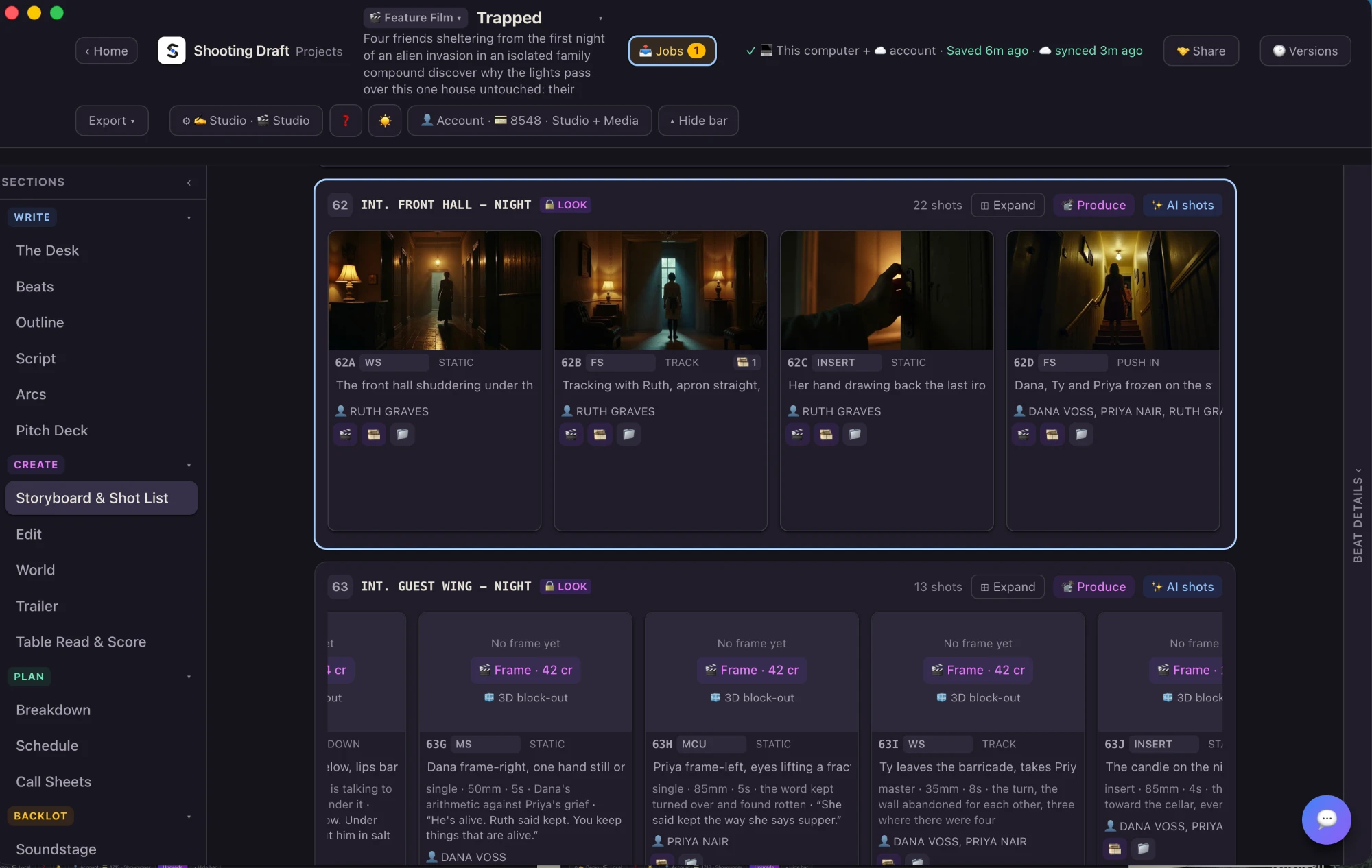
- Storyboard & Shot List
- Break scene action into shots and pair those shots with visual references.
- Table Read & Score
- Explore the dialogue aloud and develop the music around your story.
- World
- Develop the places, rules and history your screenplay implies.
- Trailer
- Build a trailer from your script, with storyboard frames and title cards.
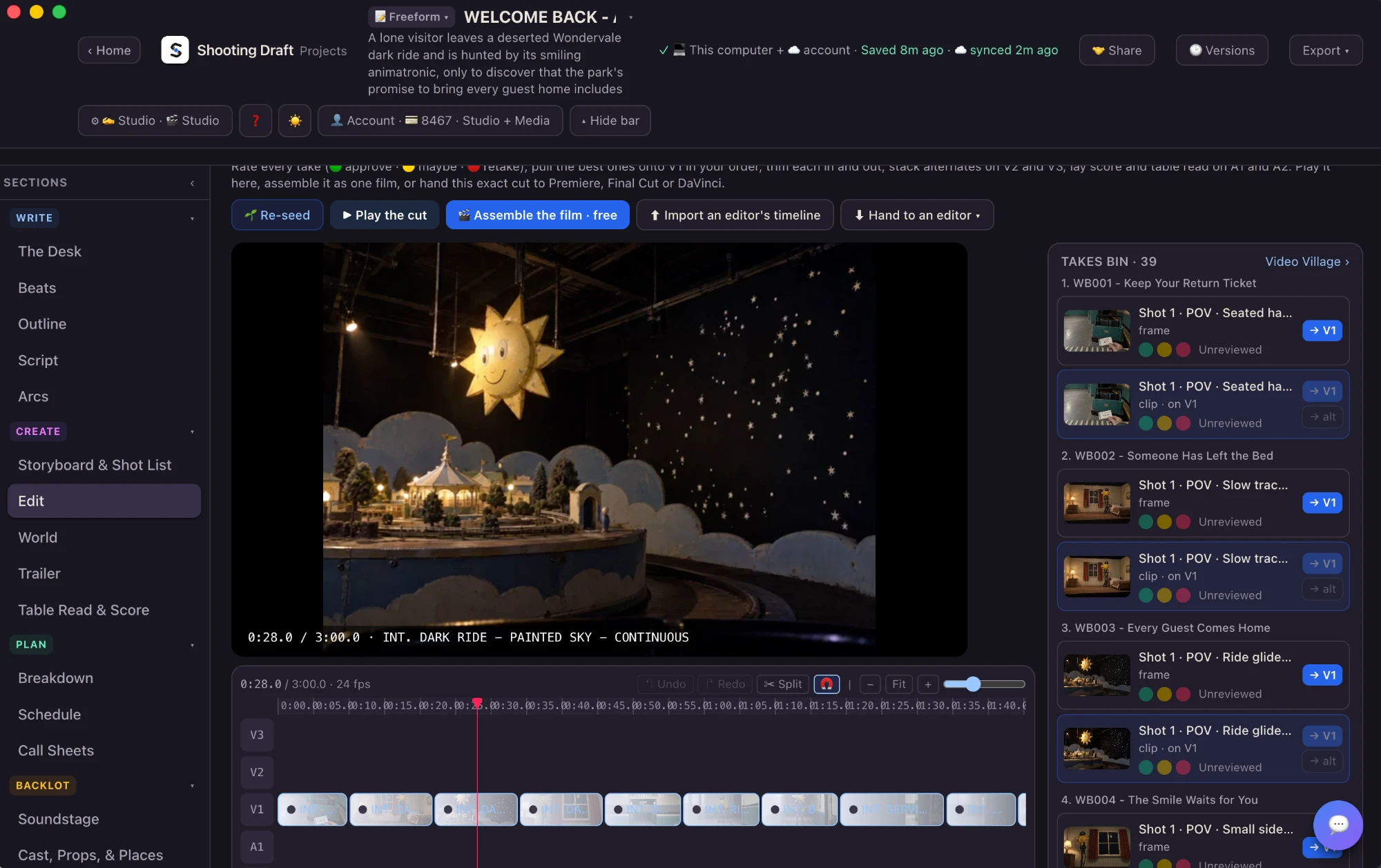
- Edit
- Bring your shots and media together into a cut.
- Breakdown
- Identify the cast, props and other elements a scene needs for production.
- Schedule
- Organize scenes into a shooting plan.
- Call Sheets
- Bring the day’s scenes and practical shoot details together for the team.
- Publish as a channel
- Turn a finished series into your own streaming site. You host it and you are the seller, and Shooting Draft takes no share.
- Lessons
- Learn the app step by step with short lessons, each with a video.
Outline your story with scene cards.
See your story beat by beat. Turn a scene card over to see that moment as a film frame.
One scene. Three ways to see it.
“A woman walks against the current and does not slow down.”
The moment, written in your screenplay.
Against the current
She moves through a tide of commuters.
The same moment, distilled into a scene card.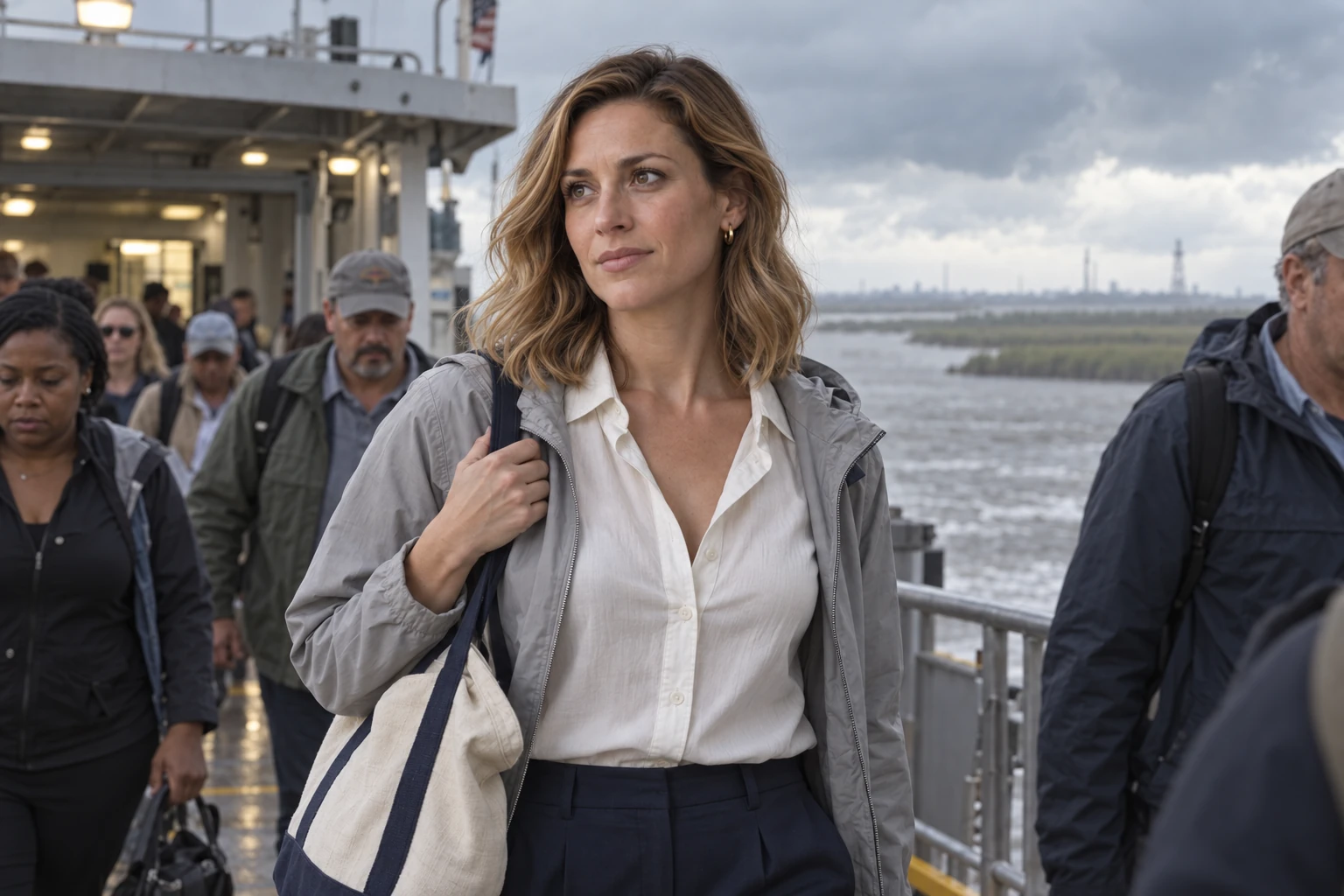
A writing assistant built for screenplays and story development.
Purpose-built for industry-standard story structure and screenwriting craft, with your whole story in context. Develop scenes, shape dialogue and revise. You choose what stays.
Toggle AI on or off.
Write, format and organize your screenplay with AI completely off.
All you. Every word.
AI features disappear. Your writing tools stay.
Make it sound like you.
Your samples guide rhythm, words and tone.
First, the screenplay.
Then, the possibilities.
Shooting Draft Pro
Ready to make the film?
Unlock shot lists, storyboards, voiceover, editing and production exports. Explore the production toolkit through early access.
Get early access on the web app. Hosted AI usage is separate.
$149 once
Free to try for 7 days. One payment, yours for keeps. $99 with code SDPRO50, for a limited time.
Compare plansBring your AI.
Your agent can work in Shooting Draft on your behalf. Give it direction from the AI you already use.
49 tools. One connection.
Connect your agent through MCP to work across your story, media and production tools.
You direct.
Stay in the conversation.
Your agent works.
Connected directly through MCP.
Your story takes shape.
Scenes. Outlines. Shot lists.
MCP connects your AI to your project, so you can work through your agent without navigating every tool yourself.
Works with what you already use.
Scripts in and out, your agent, your editor, and the apps and models you already pay for. 40 of them, and counting.
 Scripts in and outFinal Draft
 Scripts in and outFountain
 Scripts in and outCeltx
 Scripts in and outWriterDuet
 Scripts in and outHighland
 Hand-offPremiere Pro
 Hand-offFinal Cut Pro
 Hand-offDaVinci Resolve
 PrevizBlender
 Your agentClaude
 Your agentChatGPT
 Your agentCodex
 Your agentHermes
 Your agentOpenClaw
 Connected appHiggsfield
 Connected appRunway
 Pictures and clipsKling
 Pictures and clipsPika
 Pictures and clipsOpenArt
 Pictures and clipsIdeogram
 Pictures and clipsKrea
 Pictures and clipsMagnific
 Your own keyLeonardo
 Pictures and clipsGoogle
 Pictures and clipsBlack Forest Labs
 Pictures and clipsByteDance
 Pictures and clipsWan
 Pictures and clipsLuma
 Pictures and clipsMiniMax
 Pictures and clipsLTX
 Pictures and clipsxAI
 Pictures and clipsMeta
 Pictures and clipsPixVerse
 Pictures and clipsRecraft
 UpscaleTopaz Labs
 Pictures and clipsStability AI
 Your own keyfal
 VoicesElevenLabs
 Your own rigComfyUI
 Lens trainingOxen.ai
Questions, answered.
What is Shooting Draft?
Shooting Draft is screenwriting software for Mac and Windows that takes a story from first draft to final frame. You write and format your screenplay, outline it with beats and scene cards, then make shot lists, storyboards, video clips, voiceover and music from the script, build a cut and export it. After export, you can publish a finished series as your own streaming channel: you host it and you are the seller, and Shooting Draft takes no share.
How much does Shooting Draft cost?
Writer is a free download for Mac and Windows. Shooting Draft Pro, the desktop production toolkit, is $149 once, free to try for 7 days, or $99 with the early access code SDPRO50. Cloud plans are Craft at $9 a month, Showrunner at $29 and Showrunner + Media at $79. Team plans are Craft Team at $39, Studio at $99 and Studio + Media at $199. Plans with hosted AI start with a 3-day free trial, and the early access code SD50 takes 50% off the first month of a monthly plan. Both codes are for a limited time. All prices are USD, plus applicable tax. The web app, cloud plans and Pro are in early access: get yours at app.shootingdraft.com.
Can I write without AI?
Yes. You can write, format and organize your screenplay with AI completely off. Screenplay formatting, beats, outline and arcs, scene cards, and Final Draft and PDF export all work without it.
Does it work with Final Draft?
Yes. Scripts move in and out with Final Draft, Fountain, Celtx, WriterDuet and Highland. Writer exports Final Draft, PDF, Fountain, Word, RTF and HTML.
Can Shooting Draft turn my screenplay into storyboards and video?
Yes. With Pro or a paid plan you can generate storyboard images and video clips, voiceover, table reads and music from your script, then edit them into a cut. Hosted generation uses media credits, and the price is shown before you run it. Local generation uses your own hardware and spends no media credits.
Which AI models and apps does it work with?
Shooting Draft works with 40 apps and models. They include Higgsfield and Runway as connected apps; Kling, Pika, Google, Black Forest Labs, ByteDance, Wan, Luma, MiniMax and LTX for pictures and clips; ElevenLabs for voices; ComfyUI on your own computer; and Premiere Pro, Final Cut Pro and DaVinci Resolve for the hand-off to your editor.
Can Claude or ChatGPT work in Shooting Draft for me?
Yes. Claude, ChatGPT, Codex, Hermes and OpenClaw connect through MCP, so your agent can work on scenes, outlines and shot lists on your behalf. An agent you connect spends the same writing units and media credits, at the same prices.
Does Shooting Draft train AI on my script?
No. Shooting Draft never trains models on your private work. If you connect your own provider key, that provider’s terms apply. Local generation stays on your computer.
From zero to one
and from one to infinity.
Bring your stories to life with Shooting Draft.
Download free Explore plans and features