Free screenwriting. From idea to finished draft.
Turn your idea
into a screenplay.
Turn the idea in your head into a screenplay worth sharing. Build the story, refine the writing, and export in professional format.
Private beta, by waitlist. Writing is free forever on the desktop app for Mac and Windows.
AI is optional. Anything that uses it shows its price first.
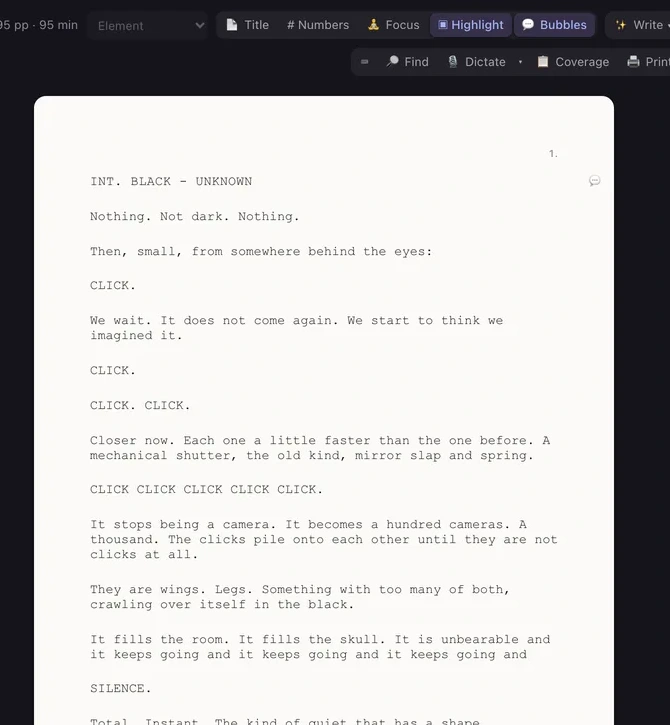 SNAP · The screenplay, up close
 Final Draft
 Fountain
 Premiere Pro
 Final Cut Pro
 DaVinci Resolve
 Claude
 ChatGPT
 Codex
Codex Hermes
 OpenClaw
 Higgsfield
 Runway
 Kling
Kling Pika
Pika OpenArt
 Ideogram
 Krea
Krea Magnific
 Leonardo
 fal
fal ElevenLabs
 ComfyUI
 Oxen.ai
Connect the apps you already pay for, most in one click, and what you make there lands on the right shot. Your AI agent can run the studio. Your cut goes out to your editor and comes back.
01 / The idea becomes a page
Get it onto
the page.
A stronger story. A polished draft. Professional screenplay format.
Final Draft page parity: your page 40 is their page 40. Bring a script in from Final Draft, Fountain, PDF or Word. Send it out as Final Draft, PDF, Fountain, Word, RTF or a web page.
The desktop app is free to write in, on Mac and Windows, with the AI on or off.
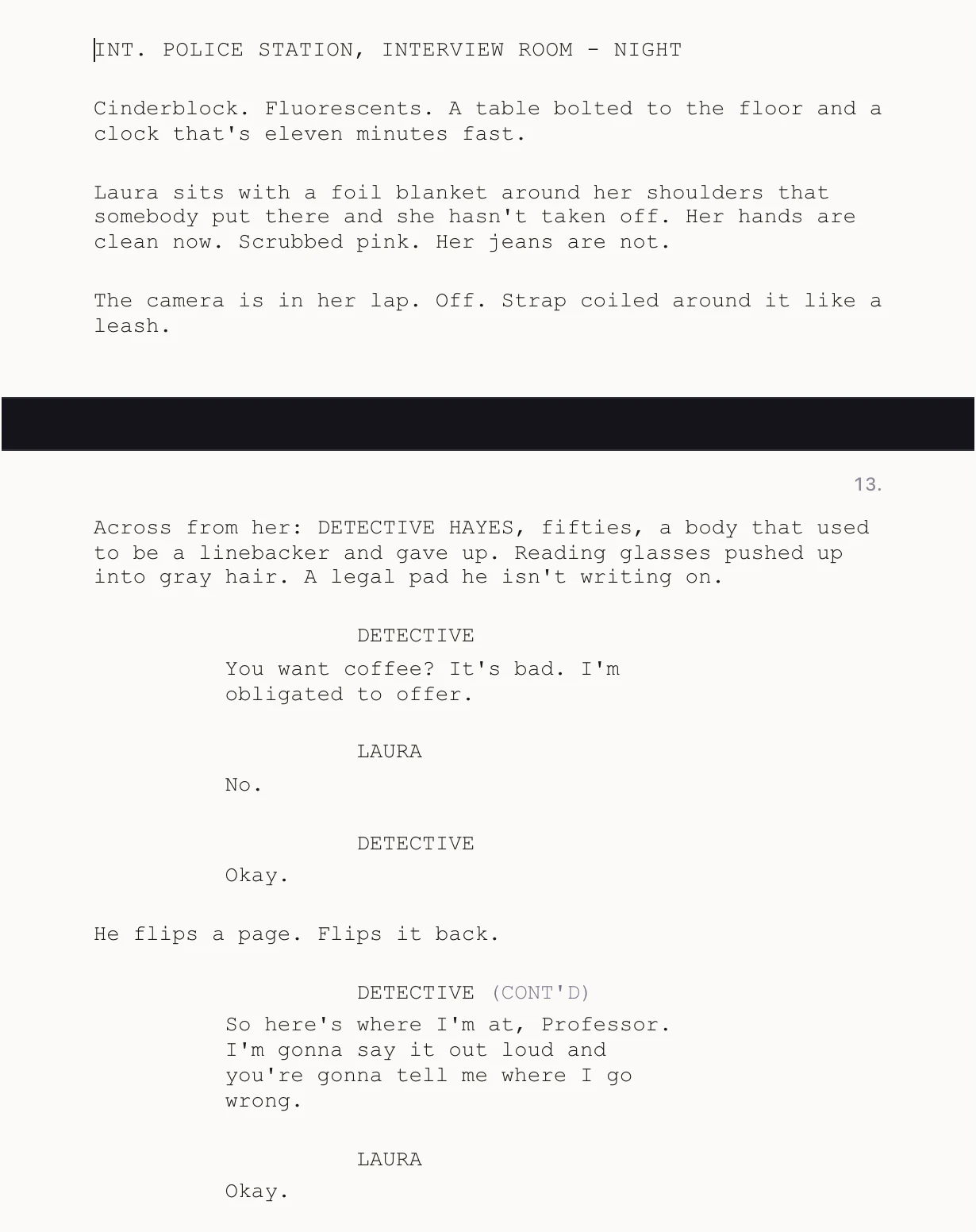
Three ways in
Start with an idea.
A logline and a few notes are enough. Find the first scene, then the next.
Bring a screenplay.
Import Final Draft, Fountain, PDF or Word and keep writing on the same pages.
Bring what you have made.
Footage, stills, art and audio you already own sit in the project next to what you generate.
02 / Writer’s assistant
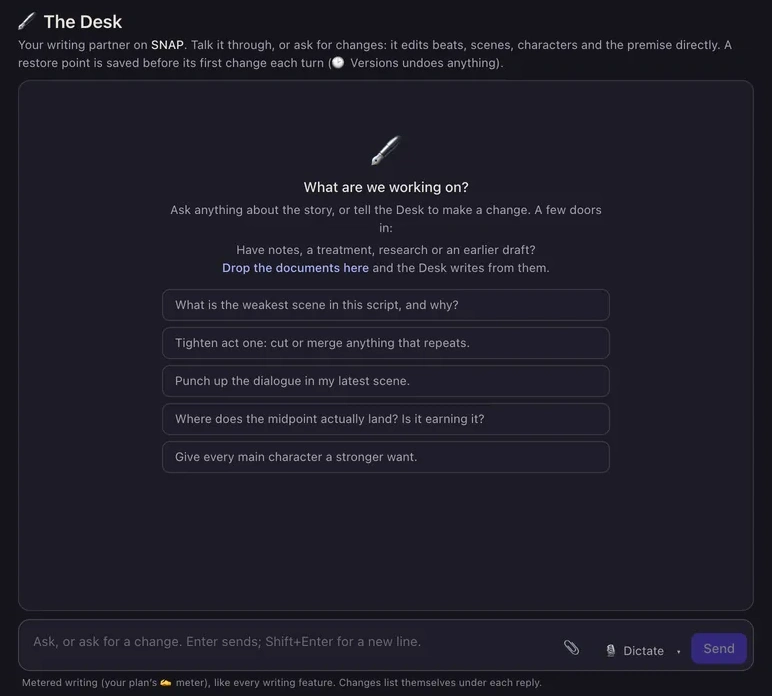
A writing partner
who knows your story.
Turn a rough idea into scenes. Get help with structure, character, and dialogue, grounded in your whole story.
03 / Voice DNA
Build your Voice DNA.
Write more like you.
Your rhythm. Your words. Your voice.
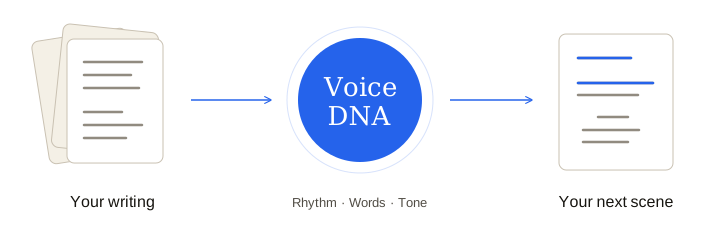
Build Voice DNA from your writing. Set your rules. Carry your voice into every project.
How Voice DNA works
Your writing samples guide rhythm, word choice, and tone. Your standing rules carry into every project.
Your writing stays yours. Voice DNA is built from the samples you give it and used only inside your projects. Shooting Draft does not train AI models on your writing, or on anything else you make here.
04 / Shape the story
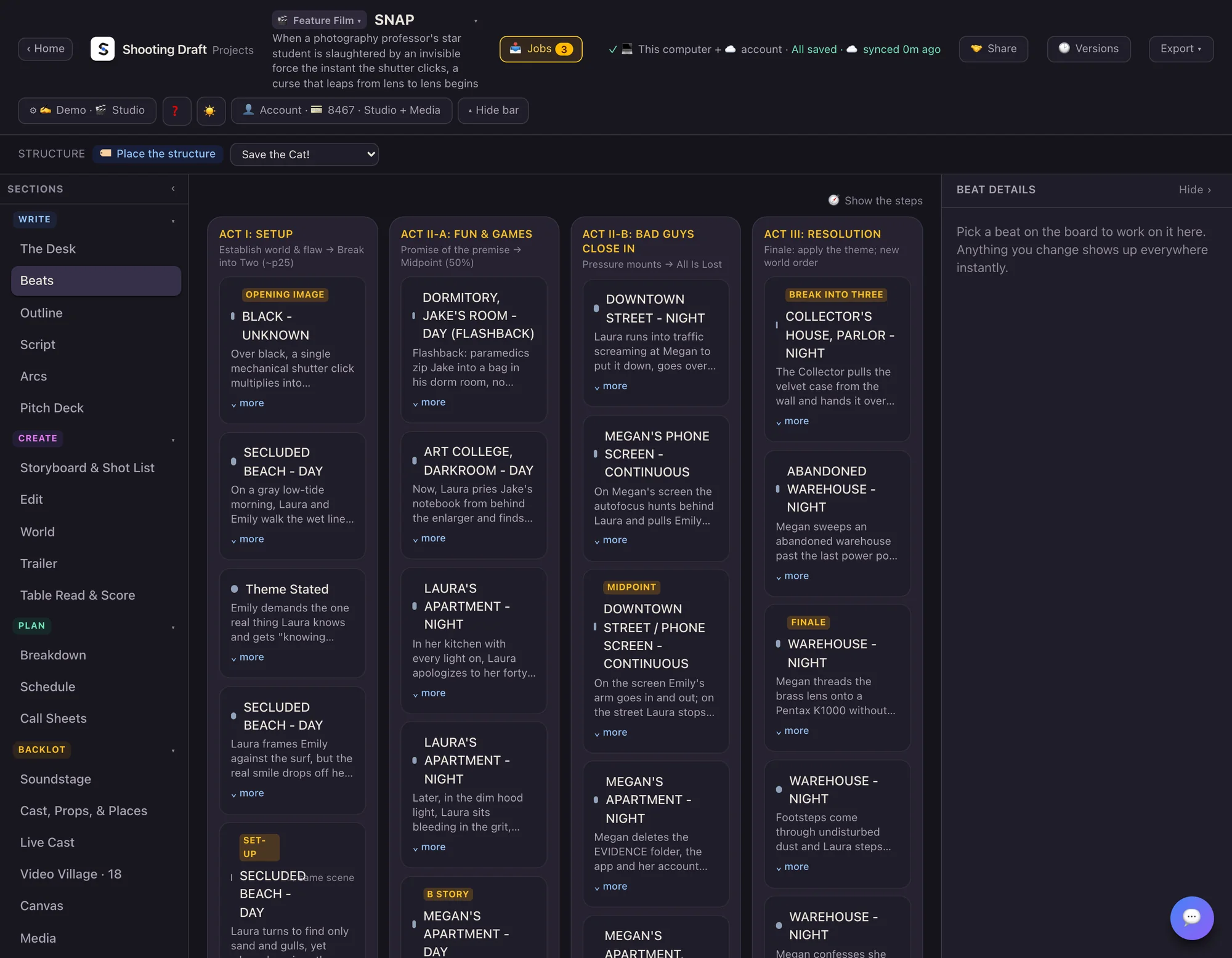
Find the shape.
Make every scene count.
Find your logline. Shape your outline. Build the beats that make your story work.
For the power users
Bring your AI.
Give it a studio.
Your agent can use the studio for you.
ClaudeCodexHermesOpenClawWorks with any local agent that supports MCP. 47 tools. You direct; your agent builds.
“Here’s my idea. Draft the opening scene.”
Free desktop connection. AI usage and generated media may cost extra.
Connect your agentWhen you’re ready
From first draft
to final frame.
Pitch the story. Picture the scenes. Build the world around your screenplay.
01 / Write
Find the next scene.
Develop the story with The Desk. Review every scene.
02 / Storyboard
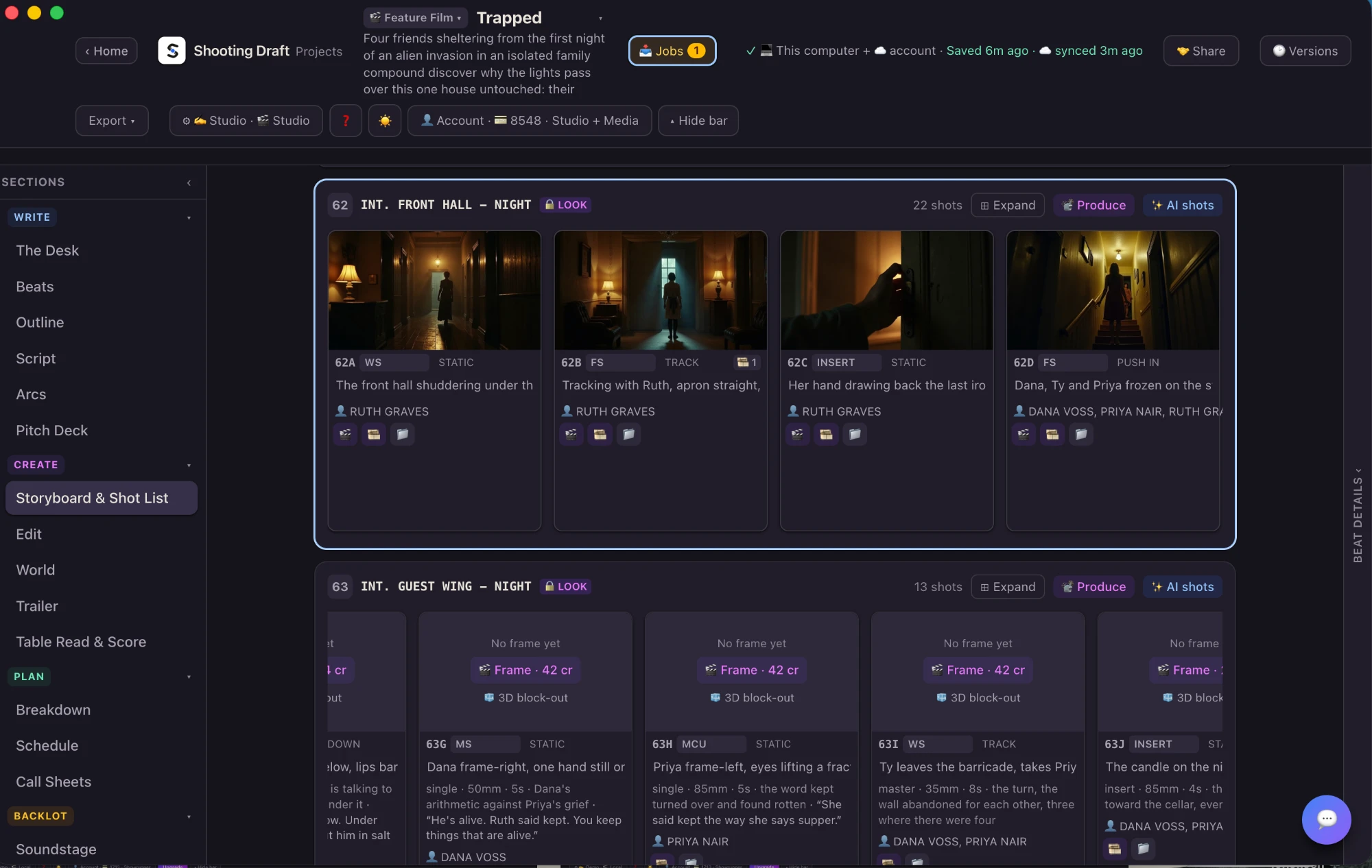
A frame for every shot.
Every scene becomes a shot list, every shot gets a frame. The prompt and the price show before you run.
03 / Add sound
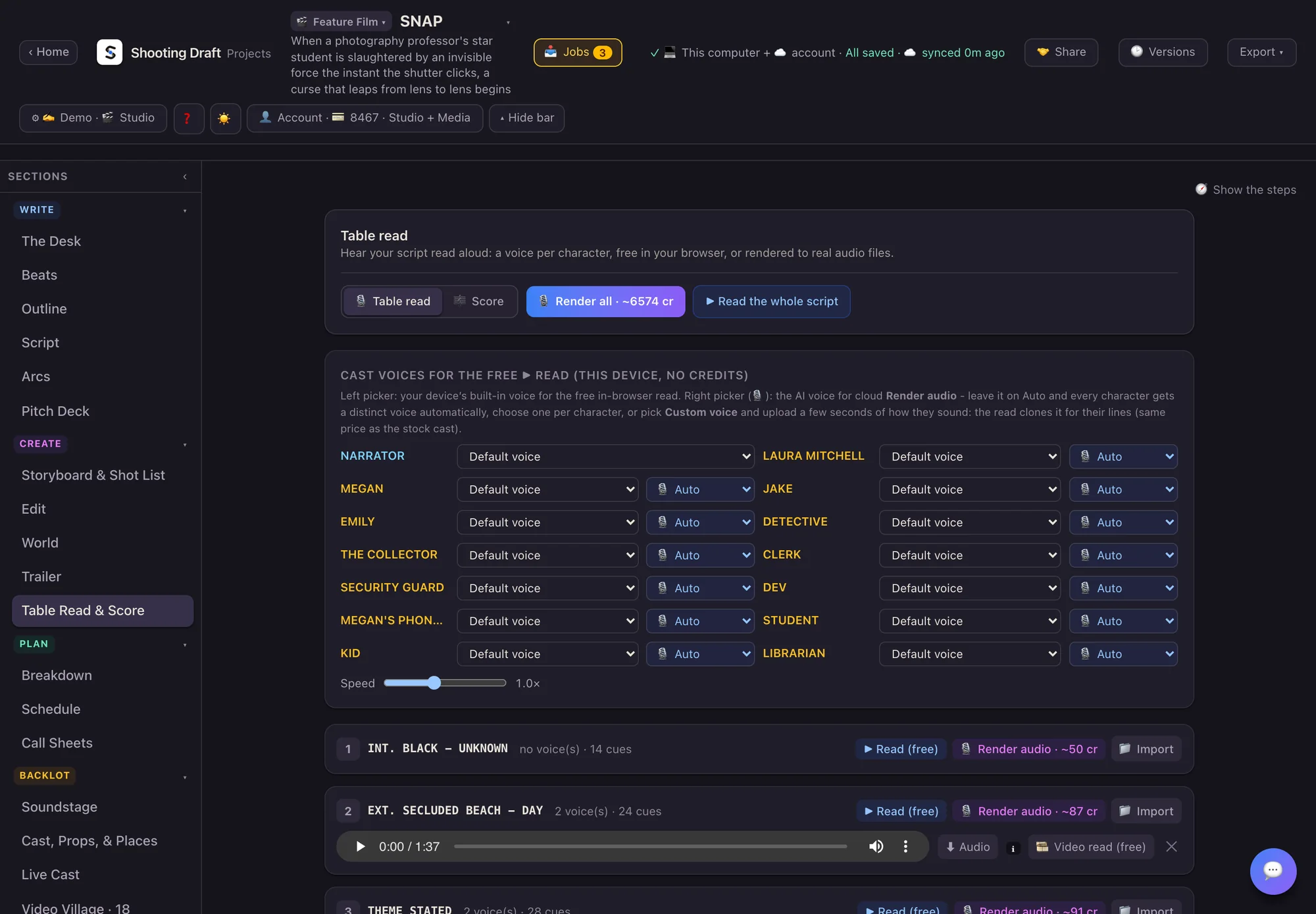
Hear your story.
Hear your cast. Find your score.
04 / Build a cut
Bring it together.
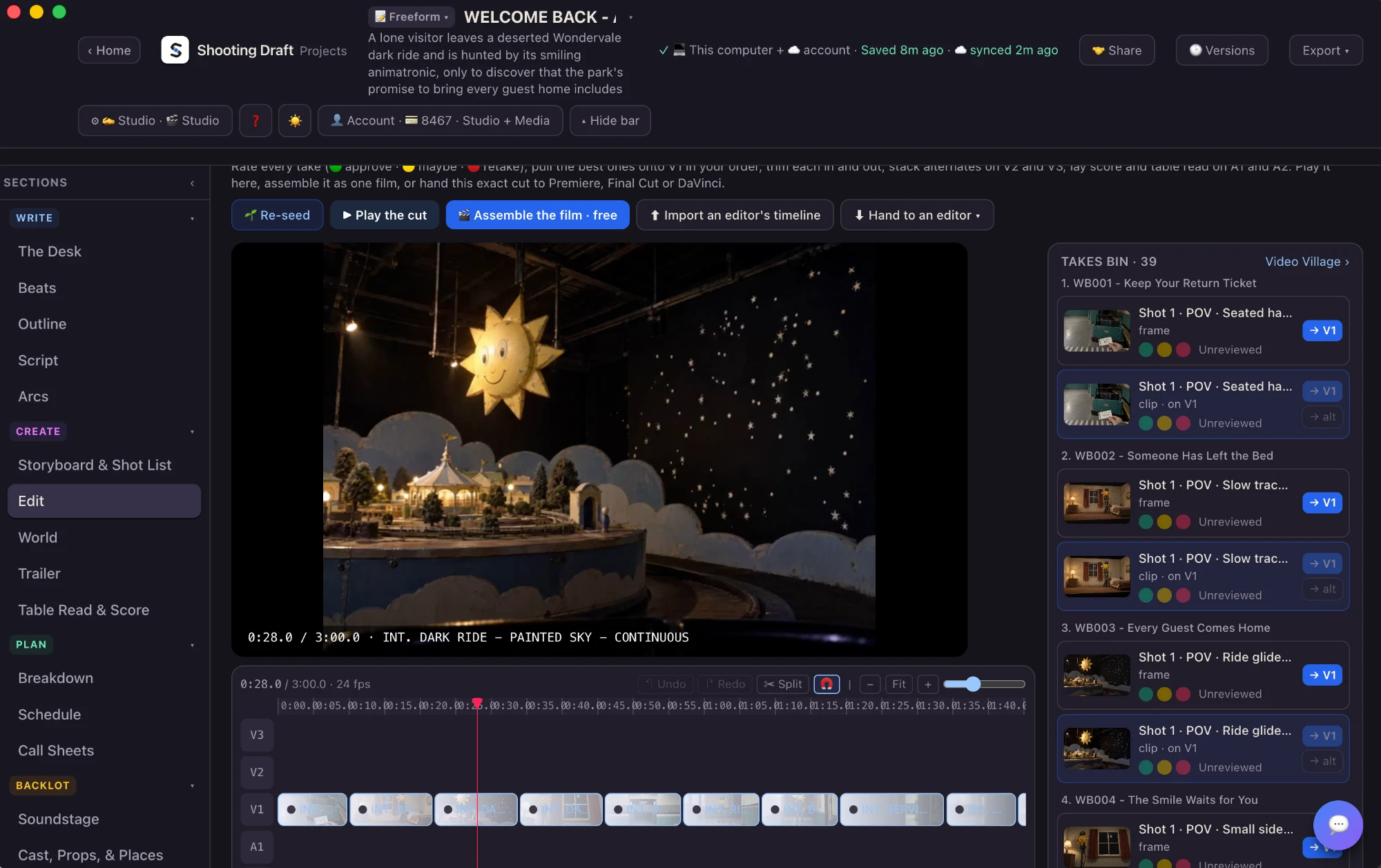
Rate the takes, pull the best onto the timeline, trim, lay in voices and score. Play it here or hand the cut to Premiere, Final Cut or DaVinci.
Pricing
Start writing for free.
Writing is free on the desktop app. A plan adds the web app. AI writing and media are optional, and every price shows before you spend.
Launch offer: half off your first month on any monthly plan.
With AI writing
Showrunner
For solo creators
$29 / month
$27 / month billed yearly
Launch offer: $14.50 your first month
3,500 writing units a month.
- Every writing lane: scene drafts, punch-ups, dialogue passes, coverage, the Writers’ Room
- Storyboards, clips, voices and score in the app, paid per run with media credits
- Character consistency: portraits and identity sheets ride every generation
- Batch storyboard and animate passes, AI script breakdown, the trailer builder
- Priority generation · 50 GB media · 1 seat
Showrunner + Media
Writing plus a monthly media budget
$79 / month
$72 / month billed yearly
Launch offer: $39.50 your first month
3,500 writing units and 7,000 media credits a month.
- Everything in Showrunner
- 7,000 media credits a month, included: pictures, clips, sound and animation
- Buy more of either at any time, at any amount
- 100 GB media · 1 seat
Studio
For teams and studios
$99 / month
$91 / month billed yearly
Launch offer: $49.50 your first month
12,500 writing units a month. Shared projects.
- Everything in Showrunner
- 12,500 writing units a month on the owner’s account, sendable to a teammate
- Shared projects, review and approvals with live sync. Reviewers and viewers are free
- 500 GB media · 10 seats included, more at $10 a seat a month
- Single sign-on. Your content never trains our models
Studio + Media
For teams shipping media
$199 / month
$182 / month billed yearly
Launch offer: $99.50 your first month
12,500 writing units and 14,000 media credits a month.
- Everything in Studio
- 14,000 media credits a month, included, sendable like any credit
- 750 GB media · 10 seats included, more at $10 a seat a month
With the AI off
Writer
The free desktop app
Free forever
No card, no account
Write, plan and export on your own computer.
- The desktop app for Mac and Windows, working fully offline
- Industry-standard screenplay editor with Final Draft page parity
- Beats, Outline, Storyboard, Pitch Deck and Series Bible
- Exports: Final Draft, PDF, Fountain, Word, RTF, HTML
- AI writing with your own key, media with pay-as-you-go credits
- 1 seat
Craft
For writers who skip the AI
$9 / month
$8 / month billed yearly
Launch offer: $4.50 your first month
The web app with the AI off.
- Everything in Writer, in the web app
- Unlimited projects in the cloud, synced across your computers
- Every export, including Premiere, Final Cut, DaVinci and OTIO timelines
- Storyboard, Breakdown, Schedule, Call Sheets, Video Village
- 5 GB for your own footage, art and audio · No AI, no credits · 1 seat
Craft Team
For rooms and studios with the AI off
$39 / month
$36 / month billed yearly
Launch offer: $19.50 your first month
The same tool for a whole room.
- Everything in Craft
- Shared projects, review, approvals and scene notes
- A shared reference and asset library
- Owner, editor, reviewer and viewer roles
- 100 GB pooled media · Up to 10 seats · No AI anywhere
Need more? Writing units: 1,000 for $9 · 3,000 for $25 · 8,000 for $64. Media credits: 1,000 for $9 · 3,000 for $25 · 8,000 for $64. Any amount in between is priced on the same ladder.
How pricing works
A plan lets you create and keep projects on the web app. Writing units pay for AI writing. Media credits pay for pictures, clips and sound.
USD, billed monthly or yearly. Included units reset monthly. Purchased writing units and standard media-credit lots expire after 12 months. Prices appear before spending; failed generations are refunded.
Launch offer. Half off your first month on any monthly plan. Yearly plans are already the lower rate and are billed for the year.
FAQ
A few details.
Who is Shooting Draft for?
AI and hybrid filmmakers and creators: anyone taking a story from an idea to a screenplay, and from the screenplay to storyboards, clips, voices and a cut. Writers who only want the page are welcome too. The writing app is free.
Can I turn the AI off?
Yes. Write, plan and export without it. The desktop app writes free forever, and the Craft plans run the web app with no AI and no credits anywhere.
Do I need a finished screenplay?
No. Start with an idea, notes or a treatment and build the premise, outline and scenes. Review each stage of an AI first draft, or write every page yourself.
Does it work with Final Draft?
Yes. Import and export .fdx files with verified Final Draft page parity: a 95-page feature matched Final Draft page for page and scene for scene. Fountain, PDF, Word, RTF and HTML are in and out too.
Can I finish the cut in my own editor?
Yes. Export a timeline and media ZIP for Premiere Pro, Final Cut Pro or DaVinci Resolve. An XML or OpenTimelineIO timeline from your editor comes back into the project.
Is it a web app or a desktop app?
Both. The web app at app.shootingdraft.com holds cloud AI and team features and is in private beta. The desktop app for macOS and Windows writes offline and needs no account.
What is free, and what do I pay for?
Writing on the desktop app is free forever. A plan lets you create and keep projects on the web app. Writing units pay for AI writing. Media credits pay for pictures, clips and sound. The + Media plans include a monthly media allowance, and you can buy more of either at any time.
Will I know the cost before generating?
Yes. Every generation shows its exact price and prompt before it runs, and a batch shows its total before you start. Failed generations are refunded.
Do you train on my writing?
No. Shooting Draft does not use your scripts, images, audio or anything else you make to train, fine-tune or improve any AI model of its own. Most models it runs exclude training on what they receive. The few whose providers reserve it are marked where you pick a model and named on the legal page, and another model is always there for the same shot. Voice DNA is built from your samples and used only inside your projects.
Can my AI agent use Shooting Draft?
Yes. Claude, ChatGPT, Codex, Hermes, OpenClaw and any agent that speaks MCP can run the studio through 47 tools, on the hosted app or your desktop. Your agent works under the same account and pricing rules as you do.
How do I get access?
Join the waitlist at app.shootingdraft.com. Shooting Draft is in private beta, and we let people in as seats open.
Private beta
Your next screenplay starts here.
Shooting Draft is in private beta. Join the waitlist and we let you in as seats open.
One short note when your seat is ready. Writing on the desktop app needs no account.